

You can get instant missed call alerts through four practical routes: your phone's built-in notification settings, your carrier's SMS missed call service, a third-party app, or a business-grade virtual receptionist. Which one you need depends almost entirely on what's at stake when a call goes unanswered.
- Individuals and casual users: check your phone settings first, then activate your carrier's free SMS missed call service as a backup.
- Small businesses (occasional missed calls): combine carrier SMS alerts with a missed call text back automation to re-engage callers quickly.
- High-call-volume businesses and trades: an AI receptionist like Nexwin is the only option that answers, books, and follows up without you lifting a finger.
Verdict: if you run a trade, clinic, or service business and a missed call means a lost job, phone settings alone will not cut it. The rest of this guide walks through every option so you can pick the right one.
Pro Tip: Set up your carrier's SMS missed call service today — it takes two minutes and costs nothing extra while you're in Australia. It's the fastest safety net you can add right now.
Key takeaways
Getting missed call alerts right means matching the solution to what's actually at stake when a call goes unanswered. For individuals, free carrier tools are enough. For businesses, the cost of a missed call almost always justifies a purpose-built service.
| Point | Details |
|---|---|
| Phone settings first | Check iPhone Notifications > Phone and Android battery optimisation before anything else. |
| Carrier SMS is free | Australian carriers offer missed call SMS at no extra charge; activate it as an immediate backup. |
| 85% don't leave voicemail | Most callers who hit voicemail hang up; an instant SMS follow-up recovers a meaningful share. |
| Businesses need automation | Carrier alerts notify you after the fact; an AI receptionist answers, captures, and books in real time. |
| Nexwin free trial | Test the full missed call to booking flow with Nexwin's 7-day trial before committing. |
Table of Contents
- How do you enable missed call notifications on iPhone and Android?
- How do Australian carriers' SMS missed call services work?
- What do third-party missed call apps actually do?
- What business-grade missed call solutions actually recover leads?
- What happens to missed call alerts when your phone is off or out of coverage?
- How do you choose the right missed call alert method?
- When should you stop relying on phone settings and upgrade?
- Nexwin captures every call your phone can't answer
- Sources
How do you enable missed call notifications on iPhone and Android?
Native missed call notifications are the first line of defence, and they fail more often than people realise, usually because of a permission buried three menus deep.
iPhone steps
- Open Settings and tap Notifications.
- Scroll to Phone and tap it.
- Confirm Allow Notifications is toggled on.
- Under Alerts, tick Lock Screen, Notification Centre, and Banners.
- Set a Sound so the badge isn't your only signal.
- Go back to Settings > Focus and check that your active Focus modes (Do Not Disturb, Driving, Sleep) aren't silencing calls from unknown numbers.
- Check Settings > Phone > Silence Unknown Callers — if this is on, calls from numbers not in your contacts go straight to voicemail with no notification.
Per Apple Community guidance, the most common reason iPhones stop showing missed call alerts is that "Allow Notifications" has been switched off, often after an iOS update resets preferences.
Android steps
Android varies by manufacturer, but the core path is consistent:
- Open the Phone app, tap the three-dot menu, and go to Settings > Notifications.
- Confirm notifications are enabled for Missed calls specifically, not just the app in general.
- Go to Settings > Apps > Phone > Notifications and check that the missed call channel is set to High priority.
- Enable Lock screen notifications and App icon badges in your device's display settings.
- Go to Settings > Battery > Battery Optimisation and set the Phone app to Unrestricted or Not optimised.
On Huawei and Honor devices, missed call notifications commonly disappear because battery optimisation kills background processes. Honor's own support documentation also flags that app icon badges and lock screen display must be explicitly enabled in the notification settings for the Phone app.
Quick troubleshooting
- Delayed alerts? Restart the device and test immediately by calling from a second phone.
- Badge showing but no sound? Check the ringer switch (iPhone) or volume profile (Android).
- Notifications appearing on the lock screen but not in the notification centre? Check your notification history settings.
- Voicemail notification instead of missed call? Your carrier may be routing unanswered calls to voicemail before the device logs them as missed.
Pro Tip: After changing any notification setting, call your own number from another phone while the screen is locked. If the alert appears on the lock screen, you're set. If it doesn't, the problem is almost always battery optimisation or a Focus/Do Not Disturb rule.
How do Australian carriers' SMS missed call services work?
Australian mobile providers offer built-in missed call services that send an SMS or MMS to your number when a call comes in while your phone is switched off, out of coverage, or engaged. The SMS typically includes the caller's number and the time of the call, and the service is generally included at no extra charge while you're in Australia.
This is the most underused free feature on Australian mobile plans. Most subscribers don't know it exists until they've already missed something important.
How to activate or deactivate the service
- Contact your carrier via their app, website, or customer service line and ask to enable the Missed Call Service (sometimes called Missed Call Alert or MMS Notification).
- Alternatively, check your carrier's self-service portal under Add-ons or Services — most major Australian carriers list it there.
- Some carriers support USSD codes for quick activation; check your carrier's support page for the specific code.
- To deactivate, follow the same path and toggle the service off, or call customer support.
What to know before you rely on it
- The SMS arrives when your phone reconnects to the network, not in real time. If you're in a dead zone for two hours, the alert arrives two hours late.
- International roaming behaviour varies. Some carriers suspend the service or charge for SMS delivery when you're overseas.
- The service sends a notification only, not a recording. You'll know someone called, but not what they wanted.
- Carrier SMS alerts do not integrate with CRM systems or booking calendars. They're a heads-up, not a workflow.
Pro Tip: Combine carrier SMS alerts with call forwarding to a virtual number or AI receptionist. That way, if your phone is off, the call still gets answered in real time rather than queued for a delayed SMS.
What do third-party missed call apps actually do?
Consumer apps that track missed calls and push alerts sit between carrier SMS and a full business solution. They're worth knowing about, but they come with trade-offs that aren't always obvious from the app store listing.
What these apps typically offer
- Missed call history with timestamps and caller ID
- Push notifications when a call is missed, even if the native alert fails
- SMS escalation (sending yourself or a contact an SMS when a call goes unanswered)
- Call logging and read receipts for shared lines
- Some offer basic auto-reply SMS to the caller
Pros and cons
Pros:
- Low or no cost for basic features
- Quick to set up, no carrier involvement needed
- Useful for individuals who want a second layer of notification
Cons:
- Require broad permissions: call logs, contacts, and often SMS access
- Battery optimisation on Android can still block them
- SMS escalation features may incur per-message charges depending on your plan
- Quality varies wildly; many apps haven't been updated in years
Privacy checklist before you install
The permissions these apps request are worth reading carefully. An app that needs access to your full contact list and SMS history to send you a missed call notification is collecting far more than it needs.
- Check the permissions list before installing: call logs and phone state are expected; contacts and SMS are worth questioning; microphone or location access is a red flag.
- Read the privacy policy for data retention and third-party sharing clauses.
- Check the last update date in the app store. An app not updated in 18 months may not handle modern Android or iOS permission models correctly.
- Look at developer reputation: a named company with a support email is a better sign than an anonymous publisher.
Pro Tip: For most individuals, your carrier's free SMS missed call service plus correct phone notification settings will outperform any third-party app, without the permissions overhead.
What business-grade missed call solutions actually recover leads?
For businesses, a missed call isn't just an inconvenience. Guides on missed call text back report that around Most callers who reach voicemail do not leave a message. An instant SMS follow-up recovers a meaningful share of those callers, particularly when the message arrives within 60 seconds and includes a booking link.
Capability comparison by solution type
| Feature | Entry-level (carrier SMS + manual follow-up) | Mid-market (VoIP + SMS automation) | Business AI receptionist |
|---|---|---|---|
| Notification channel | SMS to your number | SMS/email to your number | SMS, email, push, voice |
| Works when phone is off | Yes (delayed) | Yes (real-time) | Yes (24/7, real-time) |
| Cost model | Free (carrier included) | Per-SMS or monthly subscription | Monthly subscription |
| Privacy and data handling | Caller number stored by carrier | Caller data stored by provider | Caller data stored; audit trail available |
| Business features | None | Basic call logging, SMS template | Voicemail, transcription, CRM/calendar booking, caller memory |
Where this plays out in real businesses
A plumber on a job site can't answer the phone. A caller rings, hits voicemail, and hangs up. With a missed call text back automation, that caller receives an SMS within seconds: "Hi, sorry we missed you. Book a time here: [link]." Many reply. The job gets booked without the plumber ever calling back manually.
For a dental clinic or allied health practice, the stakes are similar. A patient calling to book an appointment who hits voicemail is likely to try the next provider. An AI receptionist answers, takes the booking, and adds it to the calendar, all while the practitioner is with another patient.
Trades and field services get some of the highest returns from this approach because technicians are physically unable to answer during jobs. Recovering even a small percentage of missed calls converts directly to additional booked work.
Pro Tip: During any trial of a business missed call solution, test the full flow: call the number from a mobile, let it go unanswered, and time how long the automated SMS takes to arrive. Anything over 90 seconds is worth querying with the provider.
What happens to missed call alerts when your phone is off or out of coverage?
When your device is switched off or outside network coverage, the carrier's network handles the call. The caller hears a ring or a message, and the carrier logs the attempt. Once your device reconnects, the carrier sends the queued SMS notification.

The gap in this system is timing. A caller who needed a quote at 9 AM and gets your SMS reply at 2 PM has almost certainly moved on.
Practical workarounds
- Enable carrier missed call SMS as a baseline (see the carrier section above). It's free and catches calls you'd otherwise never know about.
- Set up call forwarding to a virtual number or a colleague's phone so calls are answered in real time rather than queued.
- Use an AI receptionist that operates independently of your mobile. Calls route to the service, which answers, captures details, and books appointments regardless of whether your phone is on or in range.
- For roaming: check with your carrier before travelling. Some carriers suspend missed call SMS internationally, and call forwarding rates can be significant. A VoIP or AI receptionist number with a local Australian number sidesteps this entirely.
How do you choose the right missed call alert method?
The right choice comes down to five questions. Work through them in order and the answer usually becomes obvious.
- How often do you miss calls? Once a week or less, phone settings and carrier SMS are enough. Daily, you need automation.
- What happens when a call is missed? If the answer is "a potential job or booking is lost," you need a business solution, not a notification.
- Does your phone need to be off or out of coverage? Carrier SMS handles this for individuals; an AI receptionist handles it for businesses.
- Do you need the caller's details captured automatically? Native alerts give you a number. A business service gives you a name, reason for calling, and a booked appointment.
- What's your budget? Carrier SMS is free. Third-party apps range from free to a few dollars per month. Business AI receptionists are a monthly subscription, but the cost of one recovered job typically covers it.
Red flags to avoid
- Apps requesting permissions beyond call logs and phone state
- Per-SMS pricing with no monthly cap (costs can escalate fast for busy lines)
- No data export or audit trail (you can't see what calls were captured)
- No free trial or demo period before committing to a subscription
- Providers who can't tell you exactly how long the alert takes to fire after a missed call
Pro Tip: Ask any vendor one question: "How long after a missed call does the alert or SMS send?" A confident, specific answer (under 60 seconds) tells you the system is built for real-time recovery. Vague answers ("usually quickly") tell you it isn't.
When should you stop relying on phone settings and upgrade?
The honest answer is: sooner than most business owners think.
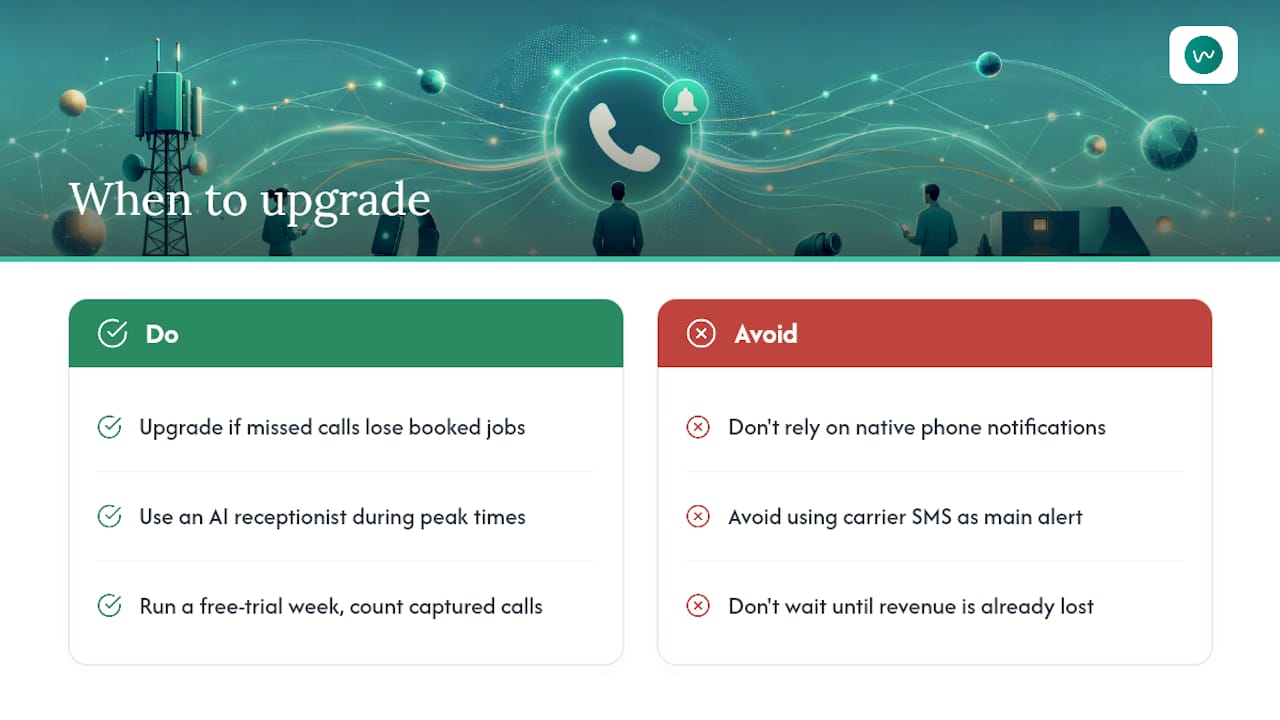
Native phone notifications and carrier SMS alerts are fine for individuals. For a business, they tell you a call was missed after the fact. They don't answer the caller, capture their details, or book the job. That gap is where revenue disappears.
The practical rule of thumb is this: if a missed call regularly costs you a booked job, or if you've ever needed a second person just to manage incoming calls during busy periods, the phone settings era is over for your business.
Trades are the clearest example. An electrician on a roof can't answer the phone. A plumber under a sink can't answer the phone. During peak trading hours, a single missed call from a new customer can mean losing a job worth hundreds or thousands of dollars to whoever picks up next. The free trial period of any AI receptionist service is the right time to test this: run it for a week, count the calls captured outside your available hours, and the ROI calculation usually answers itself.
Nexwin captures every call your phone can't answer
Every call your phone misses is a potential booking that goes to whoever picks up next. Nexwin is an AI phone receptionist built for Australian businesses that answers calls 24/7 in a natural Australian voice, captures caller details, sends SMS and email notifications, and books jobs directly into your calendar.
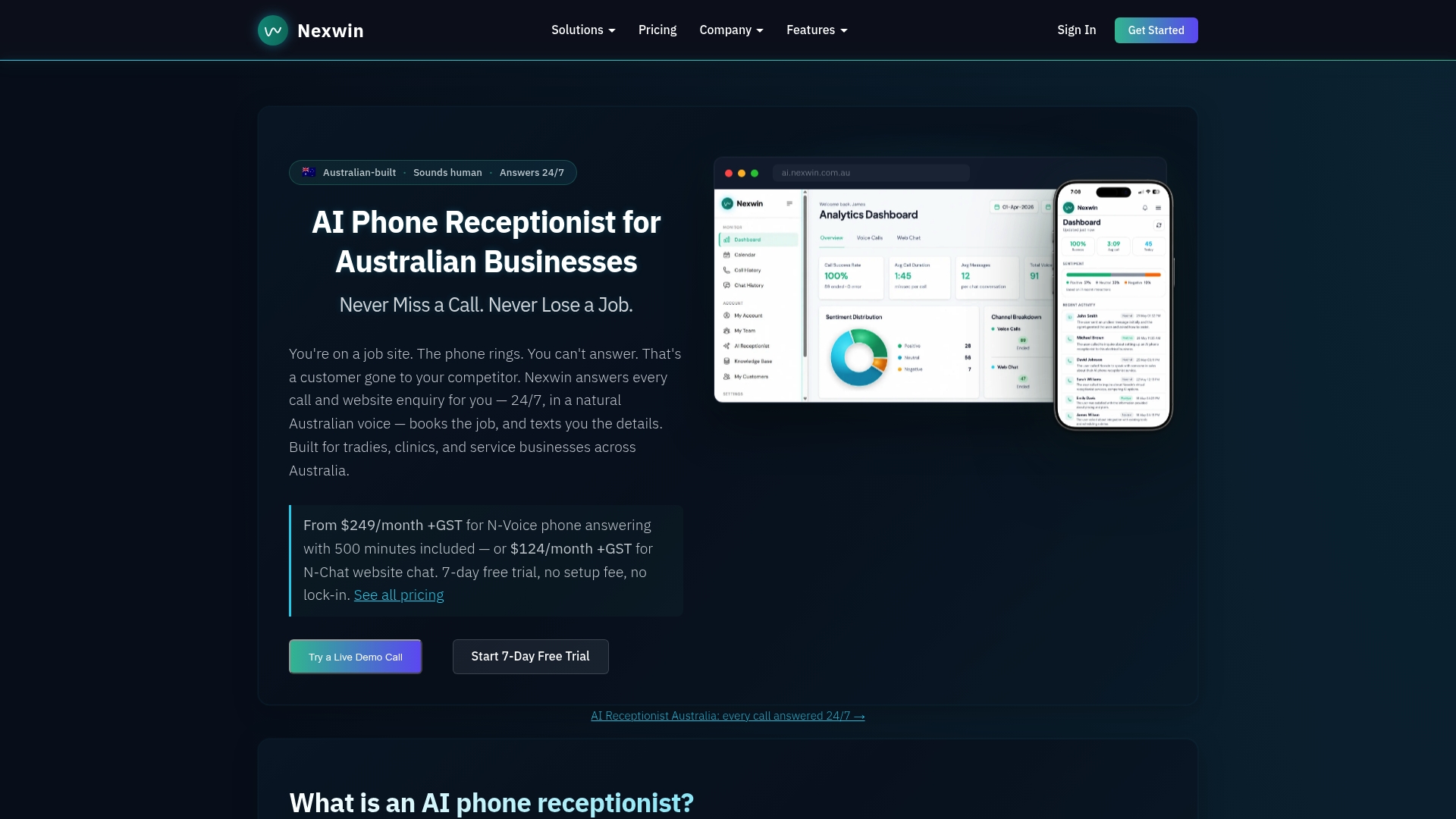
Where carrier SMS tells you someone called, Nexwin tells you who called, what they needed, and books the appointment before they hang up. The mobile app lets you review transcripts and manage call flows from your phone, wherever you are. Trades, clinics, salons, and allied health practices use it to recover leads that would otherwise disappear into voicemail.
Start a free 7-day trial and test the full flow: call your number, let it go unanswered, and watch the automated SMS and calendar booking appear in real time. No setup fee, no lock-in.
Sources
- How to add or remove Missed Call Service on your Mobile
- Missed Call Text Back: Complete Guide (2026)
- The Complete Guide to Missed‑Call Text Back | WorkflowStack AI
- No notifications for missed calls on my HUAWEI phone | HUAWEI Support Global